
Reviews
Earth Protection Action Game delivers straightforward single-player action for desktop browsers. The mix of combat and device deactivation adds variety, while the alien invasion story gives purpose to each level. Keyboard and mouse controls keep aiming precise. It suits players who enjoy fast-paced shooting with light problem-solving. The main limitation is the lack of mobile support and multiplayer, so it's best for solo desktop sessions.
About this game
Defending Earth from the Alien Threat
Earth Protection Action Game puts you in the role of Earth's sole defender after a massive alien vessel lands and its crew disables global communication and security systems. The aliens are searching for an ancient artifact buried on Earth that can destroy the entire planet. Your mission is to stand alone against their forces, deactivate their equipment, and stop their plan before it's too late. The game is designed for desktop play and offers a single-player experience that tests both reflexes and problem-solving.
Keyboard and Mouse Combat
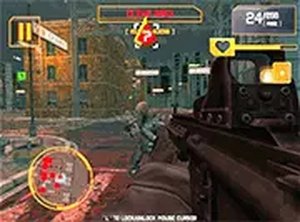
You control your character using the keyboard for movement and the mouse for aiming and interacting with objects in the game world. Combat involves navigating through levels, targeting alien soldiers, and using your tools to defeat them. Deactivating alien devices requires you to interact with them directly, adding a layer of exploration and puzzle-solving to the action. The controls are simple and intuitive, so you can focus on the fast-paced encounters.
Level Design and Progression
Each level presents a mix of alien soldiers to eliminate and devices to deactivate. The challenge comes from managing both threats while staying aware of your surroundings. The storyline motivates you to push forward, and the levels are built to test your shooting accuracy and your ability to find efficient paths. Full screen mode is supported for better visibility and a more immersive experience.
Tips for New Defenders
Practice your aim and movement to handle alien soldiers quickly. Explore each level thoroughly to locate interactive devices that can be deactivated. Use full screen mode to see more of the environment. Watch for enemy patterns and adapt your strategy. Learning the layout of each level helps you find the fastest routes and avoid unnecessary damage.
Compatibility
FAQ
Comments
Sign in to leave a review
No comments yet.








Editorial Notes