
Reviews
Precision Arena: Tactical Challenge offers a satisfying experience for players who enjoy strategic thinking and careful aim. The realistic 3D environments and smooth controls create an immersive atmosphere. Each level presents a unique challenge that requires adaptation and patience. It is a great choice for those seeking a free, no-download game that tests their precision and decision-making skills.
About this game
Game Introduction
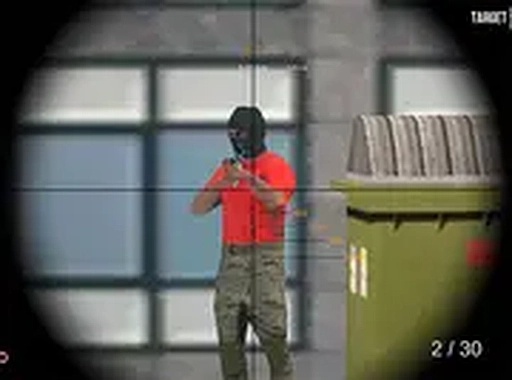
Precision Arena: Tactical Challenge is a free browser-based game that places players in a series of one-on-one encounters. The core objective is to use careful aim and strategic thinking to overcome an opponent in a 3D environment. Each encounter takes place in a unique setting that requires players to adapt their approach. The game emphasizes patience and precision, rewarding those who take their time to plan their moves. Realistic graphics create an immersive atmosphere, while the controls are designed for desktop play with keyboard and mouse. This game is accessible to both casual players and those seeking a more involved experience. As a browser game, it offers immediate access without any downloads or installations, making it easy to start playing right away. The focus on tactical decision-making and careful aim sets it apart from faster-paced action games. Players who enjoy challenges that require thought and precision will find this game appealing.
How to Play
Players typically use the mouse to aim and click to take action. The goal is to locate and overcome the target before they do the same to you. Movement should be deliberate, using the environment for cover and concealment. Each level features a different layout, requiring players to adapt their strategy accordingly. Patience is key—wait for the perfect opportunity rather than rushing. The game supports full-screen mode for a more immersive experience. As a browser-based game, no downloads are necessary, and you can start playing instantly.
Game Features
Realistic 3D graphics create an immersive tactical environment. The game includes challenging levels, each with unique obstacles and sightlines that reward careful planning and precise aim. Smooth controls and immersive sound effects enhance the overall experience. The core gameplay focuses on one-on-one tactical encounters, testing your precision and strategic thinking. As a free browser game, it offers immediate access without any downloads or installations.
Tips for Success
Practice your aim regularly to improve precision. Learn the layout of each level to identify advantageous positions and hiding spots. Patience is crucial—wait for your opponent to make a mistake before taking your shot. Use the environment for cover and move carefully to avoid detection. Adapt your strategy based on the level's unique features. Finally, stay calm under pressure to make accurate decisions when it matters most.



Comments
Sign in to leave a review
No account? Create one
No comments yet.